Category: Uncategorized
-
System Requirements for Running a Desktop Application
First things first, let’s talk about hardware. Your computer’s hardware plays a vital role in determining whether it meets the minimum system requirements. Let’s explore some common hardware components: Processor (CPU): Think of the processor as the brain of your computer. It handles all the calculations and operations. Most applications specify the minimum processor requirements,…
-

A Step-by-Step Guide: Installing a Desktop Application
So, you’ve got your hands on a cool new desktop application, and now you’re itching to install it and explore its features, right? Let’s get started and bring that application to life on your computer! Step 1: Downloading the ApplicationFirst things first, you need to get your hands on the application’s installer file. Usually, you…
-

Troubleshooting Common Errors or Issues with a Desktop Application
Understand the Error Message:The first clue in troubleshooting any issue is to understand the error message displayed. Take a close look at the message and jot down any relevant details. It might give you valuable information about the problem at hand. Google to the Rescue:Now that you have the error message, it’s time to turn…
-

Transfer Your Application Settings and Data to a New Computer: A Hassle-Free Guide
So, you’ve got a shiny new computer and you’re excited to start using it. But wait! What about all your precious application settings and data on your old computer? Don’t worry, transferring them to your new machine is easier than you might think. In this interactive guide, we’ll walk you through the process step by…
-

Unlocking Your Account: Regaining Access and Reclaiming Control
So, you find yourself locked out of your account, desperately seeking a way to regain access and restore order in your digital realm. Assess the Situation: First things first, take a deep breath and analyze the situation. Did you forget your password? Was your account compromised? Understanding the problem will help you determine the best…
-

A Step-by-Step Guide: Backup and Restore Your Application Data
Understand the Importance:Before we begin, let’s take a moment to appreciate why backing up and restoring your application data is crucial. Imagine losing all your progress, files, and settings due to an unexpected device failure or accidental deletion. That can be devastating! By having a backup, you can easily restore your data and continue where…
-

SCALABILITY OF DESKTOP APPLICATIONS
Scalability of desktop applications refers to their ability to handle increasing amounts of data or users without experiencing a significant decrease in performance or stability. Here are some factors that can affect the scalability of desktop applications: 1. Architecture: The architecture of the application can greatly impact its scalability. Applications that are designed with modular…
-
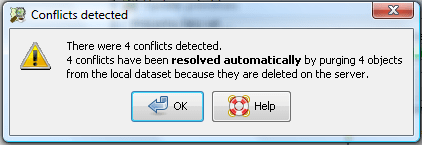
Handling Data Conflicts in offline applications
When synchronizing offline applications, data conflicts can arise when the same data is updated in different ways on different devices. Here are ten ways to handle data conflicts when synchronizing offline applications: By following these approaches, you can handle data conflicts effectively when synchronizing offline applications.
-

Ensuring security in an offline application
Ensuring security in an offline application can be just as important as in an online application, as sensitive data may still be stored locally on a device. Here are some best practices to follow to ensure security in an offline application: By following these best practices, you can ensure that your offline application is secure…
-

Best Practices for developing offline applications
Developing offline applications can be challenging, as it requires careful planning and consideration of a number of factors. Here are some best practices to follow when developing offline applications: By following these best practices, you can develop offline applications that are reliable, user-friendly, and effective.
-

WHICH IS FASTER, ONLINE OR OFFLINE APPLICATION?
In general, offline applications tend to be faster than online applications. This is because offline applications are installed locally on a user’s device and do not require an internet connection to function. Online applications, on the other hand, rely on network connectivity to access data and perform functions, which can result in delays and slower…
-

Offline Applications
Offline applications, also known as desktop applications, are software programs that are installed and run directly on a user’s computer or device without requiring an internet connection. These applications are designed to work locally on a device and do not require a web browser or an internet connection to function. Unlike web or cloud-based applications,…
-

Artificial Intelligence
Artificial Intelligence (AI) refers to the creation of intelligent machines that can perform tasks that typically require human intelligence, such as visual perception, speech recognition, decision-making, and language translation. AI algorithms are designed to simulate human cognitive processes, such as learning, reasoning, and self-correction. There are several different types of AI, including: AI has a…
 DINOLABS